

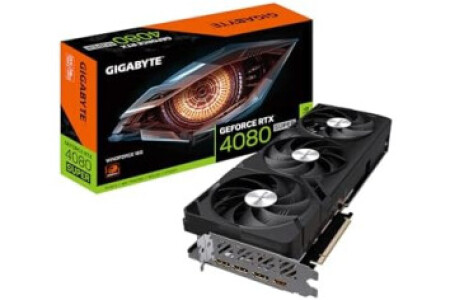
- Powered by GeForce RTX 4080 SUPER - Integrated with 16GB GDDR6X 256-bit memory interface - WINDFORCE cooling system - Dual BIOS - Protection metal back plate - Anti-sag bracket
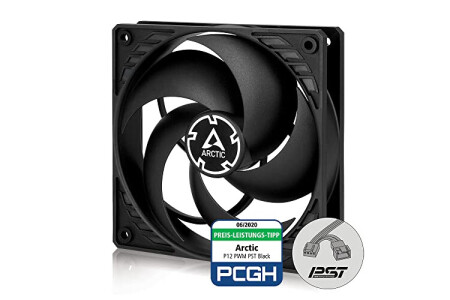
- OPTIMISED FOR STATIC PRESSURE: During the development of the new P12 PWM PST, special emphasis was placed on a focused airstream and thus a high static pressure - 200 TO 1800 RPM (0 RPM - EFFICIENT TECHNOLOGY: The motor is powered by a latest generation PWM IC, achieving higher efficiency and saving energy without compromising performance - EXTENDED LIFE SPAN: A 10 °C lower motor temperature roughly doubles the life span of a fan, the new ARCTIC motor has a four times longer service life through its low coil temperature - TECHNICAL DATA: Fan speed: 200–1800 rpm (0 rpm
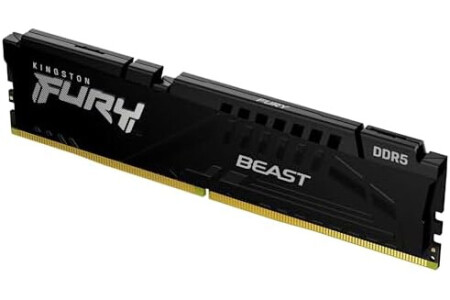
- Improved stablility for overclocking - Increased efficiency - Low-profile heat spreader design - Intel XMP 3.0 - AMD EXPO
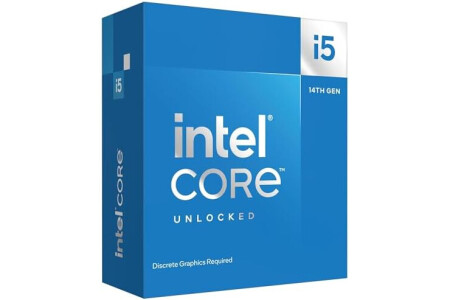
- Be everything you want to be, in-game and out with optimized performance and new features. Play harder and work smarter with Intel Core 14th Gen processors - 14 cores (6 P-cores plus 8 E-cores) and 20 threads. Discrete graphics required - Up to 5.3 GHz Max Turbo Frequency - Compatible with Intel 600-series (with potential BIOS update) or 700-series chipset-based motherboards - DDR4 and DDR5 platform support cuts your load times and gives you the space to run the most demanding games
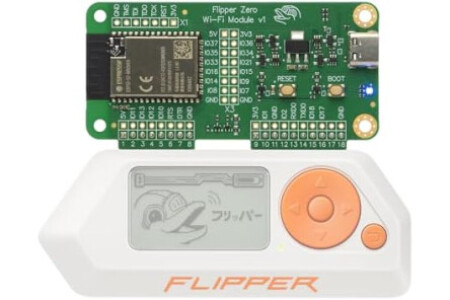
- In-System Debugging Made Easy: Flash and debug Flipper Zero and other microcontroller-based devices over Wi-Fi or USB-C. Set breakpoints, inspect variables, and step through code execution. - Powered by ESP32-S2: Built on the ESP32-S2-WROVER with a 240 MHz Xtensa LX7 CPU. Enables wireless debugging and internet connectivity (with custom firmware) in a compact add-on board. - Flexible Wi-Fi Modes: Works as a standalone access point or connects to an existing 2.4 GHz Wi-Fi network. Includes a built-in web interface for configuration and control. - Expand Flipper Zero Capabilities: Experiment with alternative ESP32 firmware or build custom Wi-Fi enabled projects. Use the GPIO pins on the dev board to connect additional modules to the ESP32-S2 (available with custom firmware). - Built for Developers: Supports an open-source SDK for debugging firmware and apps for Flipper Zero. Compatible with popular third-party debugging tools and workflows. Offers a developer-friendly open form factor with easy-to-access connectors. - Flipper Zero not included. Shown for reference only.
Color: Wi-fi Devboard
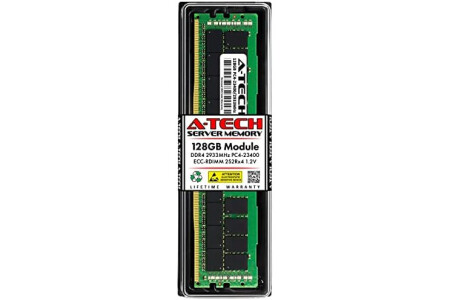
- A-Tech RAM Memory compatible for select DDR4 Servers & Workstation systems only; (*WILL NOT WORK with Desktop Computers, Laptop Computers, or PCs of any kind*) - Single 128GB RAM Module; DDR4 DIMM 288 Pin; Speeds up to 2933MHz PC4-23400 (PC4-2933Y) - ECC Registered RDIMM; 4Rx4 (3DS 2S2Rx4) - Quad Rank x4; JEDEC DDR4 standard 1.2V - Improves system performance, workload capacity, and reduces bottlenecks by increasing memory (RAM) resources - Note: This memory is ECC Registered and cannot be mixed with different ECC types such as ECC Unbuffered, ECC Load Reduced, or Non-ECC Unbuffered; (Memory compatibility can vary among different system models and their installed components; please verify compatibility and follow memory channel guidelines to ensure maximum performance) - Each A-Tech memory module is built and tested for superior performance and trusted reliability - All A-Tech products are covered with a Limited Lifetime Warranty and are backed by our top rated support team to help guide you every step of the way
Size: 128GB | 4Rx4 (2S2Rx4) Style: DDR4-2933 (PC4-23400) Color: 1 Module
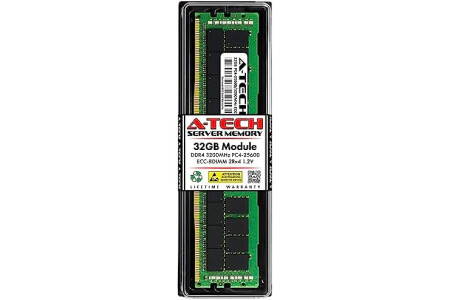
- A-Tech RAM Memory compatible for select DDR4 Servers & Workstation systems only; (*WILL NOT WORK with Desktop Computers, Laptop Computers, or PCs of any kind*) - Single 32GB RAM Module; DDR4 DIMM 288 Pin; Speeds up to 3200MHz PC4-25600 (PC4-3200AA) - ECC Registered RDIMM; 2Rx4 - Dual Rank x4; JEDEC DDR4 standard 1.2V - Improves system performance, workload capacity, and reduces bottlenecks by increasing memory (RAM) resources - Note: This memory is ECC Registered and cannot be mixed with different ECC types such as ECC Unbuffered, ECC Load Reduced, or Non-ECC Unbuffered; (Memory compatibility can vary among different system models and their installed components; please verify compatibility and follow memory channel guidelines to ensure maximum performance) - Each A-Tech memory module is built and tested for superior performance and trusted reliability - All A-Tech products are covered with a Limited Lifetime Warranty and are backed by our top rated support team to help guide you every step of the way
Size: 32GB | 2Rx4 Style: DDR4-3200 (PC4-25600) Color: 1 Module
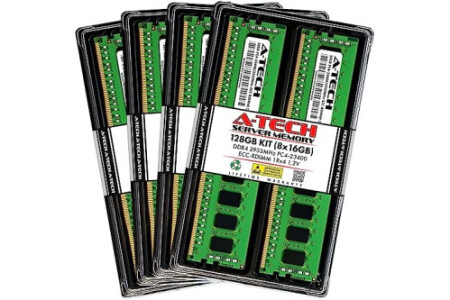
- A-Tech RAM Memory compatible for select DDR4 Servers & Workstation systems only; (*WILL NOT WORK with Desktop Computers, Laptop Computers, or PCs of any kind*) - 128GB RAM Kit (8 x 16GB Modules); DDR4 DIMM 288 Pin; Speeds up to 2933MHz PC4-23400 (PC4-2933Y) - ECC Registered RDIMM; 1Rx4 - Single Rank x4; JEDEC DDR4 standard 1.2V - Improves system performance, workload capacity, and reduces bottlenecks by increasing memory (RAM) resources - Note: This memory is ECC Registered and cannot be mixed with different ECC types such as ECC Unbuffered, ECC Load Reduced, or Non-ECC Unbuffered; (Memory compatibility can vary among different system models and their installed components; please verify compatibility and follow memory channel guidelines to ensure maximum performance) - Each A-Tech memory module is built and tested for superior performance and trusted reliability - All A-Tech products are covered with a Limited Lifetime Warranty and are backed by our top rated support team to help guide you every step of the way
Size: 16GB | 1Rx4 Style: DDR4-2933 (PC4-23400) Color: 8 Module Kit
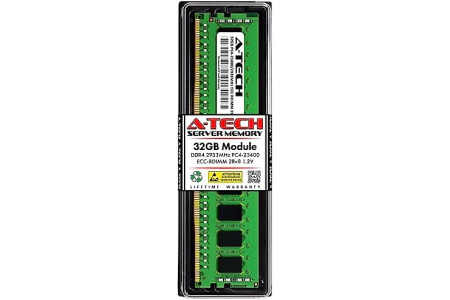
- A-Tech RAM Memory compatible for select DDR4 Servers & Workstation systems only; (*WILL NOT WORK with Desktop Computers, Laptop Computers, or PCs of any kind*) - Single 32GB RAM Module; DDR4 DIMM 288 Pin; Speeds up to 2933MHz PC4-23400 (PC4-2933Y) - ECC Registered RDIMM; 2Rx8 - Dual Rank x8; JEDEC DDR4 standard 1.2V - Improves system performance, workload capacity, and reduces bottlenecks by increasing memory (RAM) resources - Note: This memory is ECC Registered and cannot be mixed with different ECC types such as ECC Unbuffered, ECC Load Reduced, or Non-ECC Unbuffered; (Memory compatibility can vary among different system models and their installed components; please verify compatibility and follow memory channel guidelines to ensure maximum performance) - Each A-Tech memory module is built and tested for superior performance and trusted reliability - All A-Tech products are covered with a Limited Lifetime Warranty and are backed by our top rated support team to help guide you every step of the way
Size: 32GB | 2Rx8 Style: DDR4-2933 (PC4-23400) Color: 1 Module
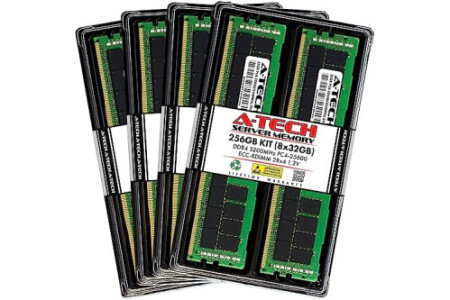
- A-Tech RAM Memory compatible for select DDR4 Servers & Workstation systems only; (*WILL NOT WORK with Desktop Computers, Laptop Computers, or PCs of any kind*) - 256GB RAM Kit (8 x 32GB Modules); DDR4 DIMM 288 Pin; Speeds up to 3200MHz PC4-25600 (PC4-3200AA) - ECC Registered RDIMM; 2Rx4 - Dual Rank x4; JEDEC DDR4 standard 1.2V - Improves system performance, workload capacity, and reduces bottlenecks by increasing memory (RAM) resources - Note: This memory is ECC Registered and cannot be mixed with different ECC types such as ECC Unbuffered, ECC Load Reduced, or Non-ECC Unbuffered; (Memory compatibility can vary among different system models and their installed components; please verify compatibility and follow memory channel guidelines to ensure maximum performance) - Each A-Tech memory module is built and tested for superior performance and trusted reliability - All A-Tech products are covered with a Limited Lifetime Warranty and are backed by our top rated support team to help guide you every step of the way
Size: 32GB | 2Rx4 Style: 3200MHz (PC4-25600) Color: Kit of 8
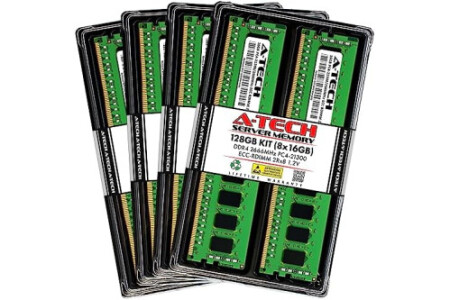
- A-Tech RAM Memory compatible for select DDR4 Servers & Workstation systems only; (*WILL NOT WORK with Desktop Computers, Laptop Computers, or PCs of any kind*) - 128GB RAM Kit (8 x 16GB Modules); DDR4 DIMM 288 Pin; Speeds up to 2666MHz/2667MHz PC4-21300 (PC4-2666V) - ECC Registered RDIMM; 2Rx8 - Dual Rank x8; JEDEC DDR4 standard 1.2V - Improves system performance, workload capacity, and reduces bottlenecks by increasing memory (RAM) resources - Note: This memory is ECC Registered and cannot be mixed with different ECC types such as ECC Unbuffered, ECC Load Reduced, or Non-ECC Unbuffered; (Memory compatibility can vary among different system models and their installed components; please verify compatibility and follow memory channel guidelines to ensure maximum performance) - Each A-Tech memory module is built and tested for superior performance and trusted reliability - All A-Tech products are covered with a Limited Lifetime Warranty and are backed by our top rated support team to help guide you every step of the way
Size: 16GB | 2Rx8 Style: DDR4-2666 (PC4-21300) Color: 8 Module Kit
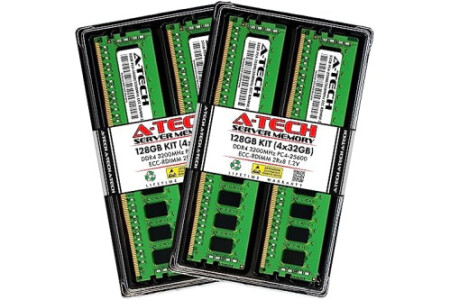
- A-Tech RAM Memory compatible for select DDR4 Servers & Workstation systems only; (*WILL NOT WORK with Desktop Computers, Laptop Computers, or PCs of any kind*) - 128GB RAM Kit (4 x 32GB Modules); DDR4 DIMM 288 Pin; Speeds up to 3200MHz PC4-25600 (PC4-3200AA) - ECC Registered RDIMM; 2Rx8 - Dual Rank x8; JEDEC DDR4 standard 1.2V - Improves system performance, workload capacity, and reduces bottlenecks by increasing memory (RAM) resources - Note: This memory is ECC Registered and cannot be mixed with different ECC types such as ECC Unbuffered, ECC Load Reduced, or Non-ECC Unbuffered; (Memory compatibility can vary among different system models and their installed components; please verify compatibility and follow memory channel guidelines to ensure maximum performance) - Each A-Tech memory module is built and tested for superior performance and trusted reliability - All A-Tech products are covered with a Limited Lifetime Warranty and are backed by our top rated support team to help guide you every step of the way
Size: 32GB | 2Rx8 Style: 3200MHz (PC4-25600) Color: Kit of 4

There are products from different external stores in your basket, so a wish for each external store will be created.
Note: You will be able to configure each wish individually before publishing it.

 Spanish
(Español)
Spanish
(Español)
 German
(Deutsche)
German
(Deutsche)
 French
(Français)
French
(Français)
 Italian
(Italiano)
Italian
(Italiano)
 Portuguese
(Portugues)
Portuguese
(Portugues)

