

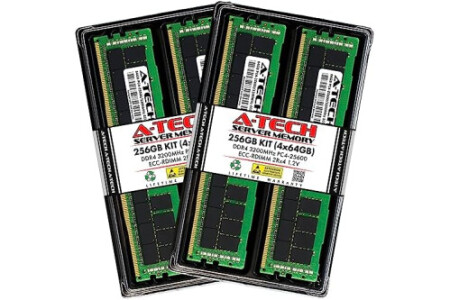
- A-Tech RAM Memory compatible for select DDR4 Servers & Workstation systems only; (*WILL NOT WORK with Desktop Computers, Laptop Computers, or PCs of any kind*) - 256GB RAM Kit (4 x 64GB Modules); DDR4 DIMM 288 Pin; Speeds up to 3200MHz PC4-25600 (PC4-3200AA) - ECC Registered RDIMM; 2Rx4 - Dual Rank x4; JEDEC DDR4 standard 1.2V - Improves system performance, workload capacity, and reduces bottlenecks by increasing memory (RAM) resources - Note: This memory is ECC Registered and cannot be mixed with different ECC types such as ECC Unbuffered, ECC Load Reduced, or Non-ECC Unbuffered; (Memory compatibility can vary among different system models and their installed components; please verify compatibility and follow memory channel guidelines to ensure maximum performance) - Each A-Tech memory module is built and tested for superior performance and trusted reliability - All A-Tech products are covered with a Limited Lifetime Warranty and are backed by our top rated support team to help guide you every step of the way
Size: 64GB | 2Rx4 Style: DDR4-3200 (PC4-25600) Color: 4 Module Kit
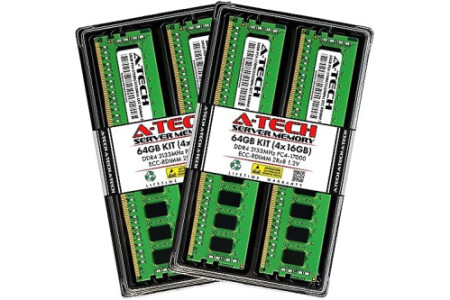
- A-Tech RAM Memory compatible for select DDR4 Servers & Workstation systems only; (*WILL NOT WORK with Desktop Computers, Laptop Computers, or PCs of any kind*) - 64GB RAM Kit (4 x 16GB Modules); DDR4 DIMM 288 Pin; Speeds up to 2133MHz PC4-17000 (PC4-2133P) - ECC Registered RDIMM; 2Rx8 - Dual Rank x8; JEDEC DDR4 standard 1.2V - Improves system performance, workload capacity, and reduces bottlenecks by increasing memory (RAM) resources - Note: This memory is ECC Registered and cannot be mixed with different ECC types such as ECC Unbuffered, ECC Load Reduced, or Non-ECC Unbuffered; (Memory compatibility can vary among different system models and their installed components; please verify compatibility and follow memory channel guidelines to ensure maximum performance) - Each A-Tech memory module is built and tested for superior performance and trusted reliability - All A-Tech products are covered with a Limited Lifetime Warranty and are backed by our top rated support team to help guide you every step of the way
Size: 16GB | 2Rx8 Style: DDR4-2133 (PC4-17000) Color: 4 Module Kit
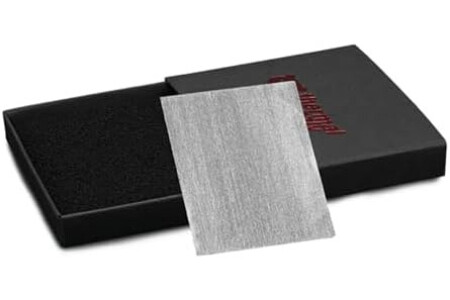
- Non-drying composition eliminates the need for frequent reapplication, ensuring long-term reliability. - High-end product offering superior performance compared to standard thermal pads. - Manufactured using an innovative process that enhances material properties for better heat dissipation. - SUITABLE FOR INTEL SOCKET 1851 CPUs: Ideal for use with Intel Socket 1851 processors, providing excellent thermal management for demanding applications. - COMPATIBLE WITH NVIDIA GEFORCE RTX 5090: Specifically designed to fully cover the GB202-300-A1 graphics chip, ensuring efficient cooling for high-performance GPUs.
Size: 44 x 37 x 0,2 mm
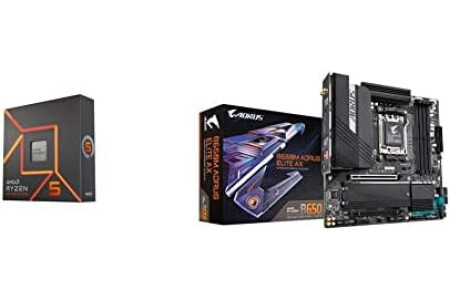
- Pure gaming performance with smooth 100+ FPS in the world's most popular games - 6 Cores and 12 processing threads, based on AMD "Zen 4" architecture - 5.3 GHz Max Boost, unlocked for overclocking, 38 MB cache, DDR5-5200 support - AMD AM5 Socket: Supports AMD Ryzen 7000 Series Processors - DDR5 Compatible: 4*DIMMs with AMD EXPO & Intel XMP Memory Module Support - Commanding Power Design: Twin 12+2+2 Phases Digital VRM Solution, 8-Layer 2X Copper PCB
Pattern: Bundle Style: CPU 7600X+GIGABYTE B650M AORUS ELITE AX
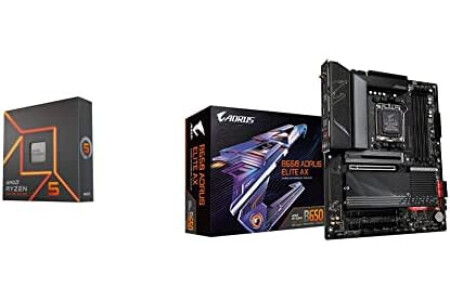
- Pure gaming performance with smooth 100+ FPS in the world's most popular games - 6 Cores and 12 processing threads, based on AMD "Zen 4" architecture - 5.3 GHz Max Boost, unlocked for overclocking, 38 MB cache, DDR5-5200 support - AMD AM5 Socket: Supports AMD Ryzen 7000 Series Processors - DDR5 Compatible: 4*DIMMs with AMD EXPO & Intel XMP Memory Module Support - Commanding Power Design: Twin 14+2+1 Phases with 70A Power Stage Digital VRM Solution, 8-Layer 2X Copper PCB
Pattern: Bundle Style: CPU 7600X+GIGABYTE B650 AORUS ELITE AX
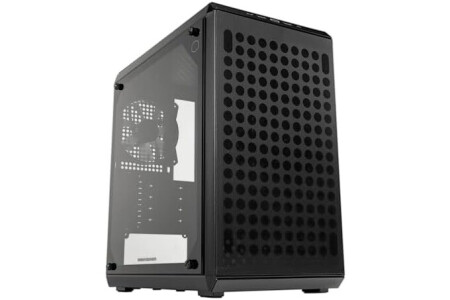
- Motherboard Compatibility – Supports Micro-ATX and Mini-ITX motherboards with a spacious interior for easy installation, improved cable management, and future upgrade flexibility. - GPU Compatibility – Supports graphics cards up to 360mm, providing ample room for high-end GPUs and next-gen performance upgrades for gaming or workstation builds. - Versatile Cooling – Equip with a 240mm liquid cooler and up to 5 case fans, ensuring strong airflow, improved heat dissipation, and stable performance during intensive gaming sessions. - Open Thermal Design – The perforated front, top, and bottom design ensures optimal thermal airflow, promoting excellent heat dissipation throughout the system. - Routing Space – With a substantial 28mm of space available behind the motherboard tray, you can effectively manage cables, resulting in a tidy and organized build.
Style: Q300L V2 Color: Black
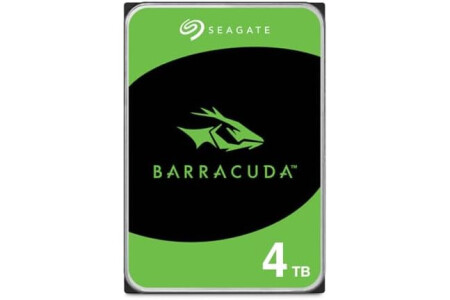
- Store more, compute faster, and do it confidently with the proven reliability of BarraCuda internal hard drives - Build a powerhouse gaming computer or desktop setup with a variety of capacities and form factors - The go to SATA hard drive solution for nearly every PC application from music to video to photo editing to PC gaming - Confidently rely on internal hard drive technology backed by 20 years of innovation; Max sustained transfer rate OD(MB/s): 190 MB/s - Migrate and clone data from old drives with ease using our free Seagate DiscWizard software tool
Memory Storage Capacity: 4 TB Number of Items: 1
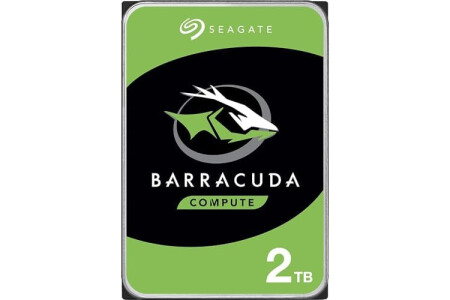
- Migrate and clone data from old drives with ease using our free Seagate DiscWizard software tool - Store more, compute faster, and do it confidently with the proven reliability of BarraCuda internal hard drives - Build a powerhouse gaming computer or desktop setup with a variety of capacities and form factors - The go to SATA hard drive solution for nearly every PC application—from music to video to photo editing to PC gaming - Confidently rely on internal hard drive technology backed by 20 years of innovation
Memory Storage Capacity: 2 TB Number of Items: 1
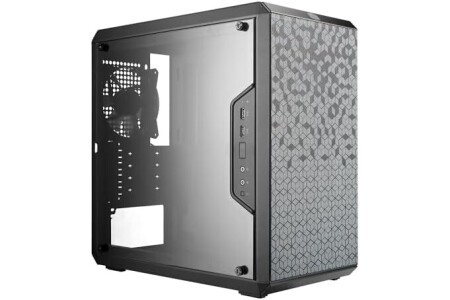
- Ample Interior: Explore ample interior space for Micro-ATX or Mini-ITX motherboards, ensuring easy and future expansion - Components Clearance: Accommodates CPU coolers with a max height of 159mm, GPU cards up to 360mm, and PSU up to 160mm in length. - Versatile Cooling: Maximize cooling performance with a 240mm liquid cooler and 5 fans. - Modular I/O Panel: You have the flexibility to adjust its position at the front, top, or bottom on both sides - Edge-To-Edge Panel: Show off your meticulous build through the transparent side panel with pride. - Open Thermal Design: The perforated design on all sides promotes optimal airflow and heat dissipation - Magnetic Dust Filters: The unique pattern of the dust filter adds a distinctive appearance to the case.
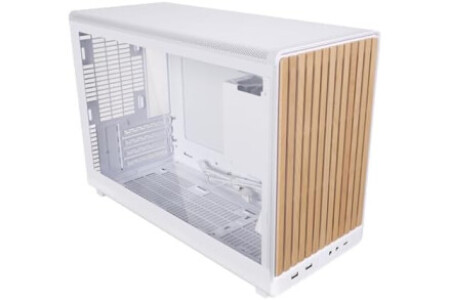
- Compact 26.3L Design, Big Hardware Support: Accommodates mATX/ITX motherboards with 4 expansion slots and GPUs up to 415mm—achieve a compact footprint without sacrificing performance. - Stylish Wood Front Panel with Side Tempered Glass: Showcases a unique wood front panel combined with a side tempered glass panel, which enhances the overall visual impact. Side mesh panel is not included. - Supports 360mm Radiators and Up to 10 x 120mm Fans: Capable of housing a 360mm radiator and multiple 120mm fans—include a simple fan/radiator placement diagram in the images for clarity. - Flexible PSU Installation (Front/Side): Compatible with ATX/SFX/SFX-L and LIAN LI EDGE power supplies; orientation options enhance clearance and cable management.
Style: A3 (Wood Front + Glass Panel-White)
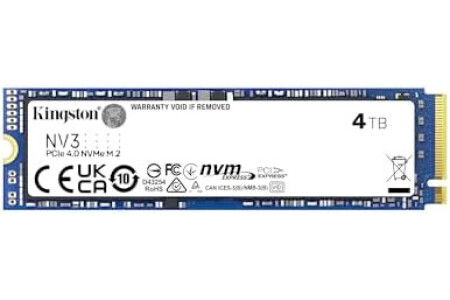
- Ideal for high speed, low power storage - Gen 4x4 NVMe PCle performance - Up to 6,000MB/s read, 5,000MB/s write - Includes Acronis cloning software - 5-year limited warranty
Capacity: 4TB
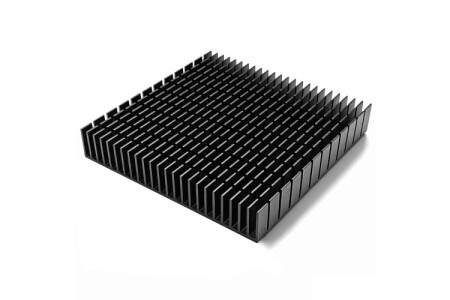
- 1. 120mm square anodized aluminum heatsink. (Dimension: 4.72 x 4.72 x 0.79 inch / 120x120x20mm (L*W*H)) - 2. Made from 6063-T5 aluminum alloy with high thermal conductivity, structure stability and light weight. With black oxidized surface. - 3. Particularly suitable for passive cooling of routers cooler heatsink stand such as ax3pro/ax6 ect. - 4. Can be applied for cooling of computer cabinet, for Xboxs, for Playstations, for Rokus, for TVs, receivers, modems, DVRs, computers, and other audio video electronics. - 5. Weight: 6.77 oz / 192 gr per pc.

There are products from different external stores in your basket, so a wish for each external store will be created.
Note: You will be able to configure each wish individually before publishing it.

 Spanish
(Español)
Spanish
(Español)
 German
(Deutsche)
German
(Deutsche)
 French
(Français)
French
(Français)
 Italian
(Italiano)
Italian
(Italiano)
 Portuguese
(Portugues)
Portuguese
(Portugues)

