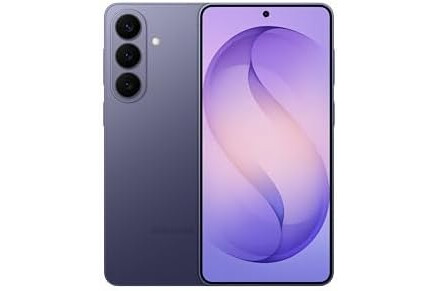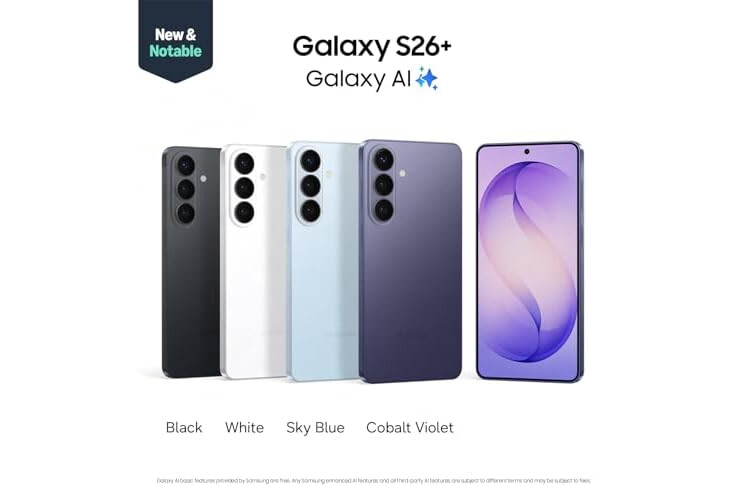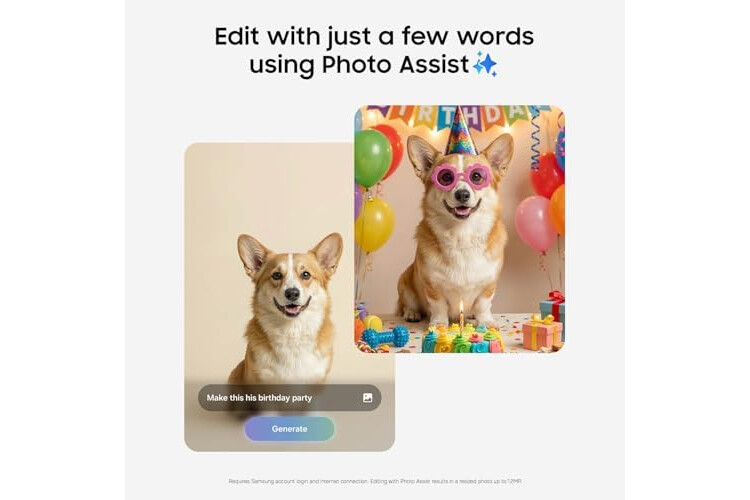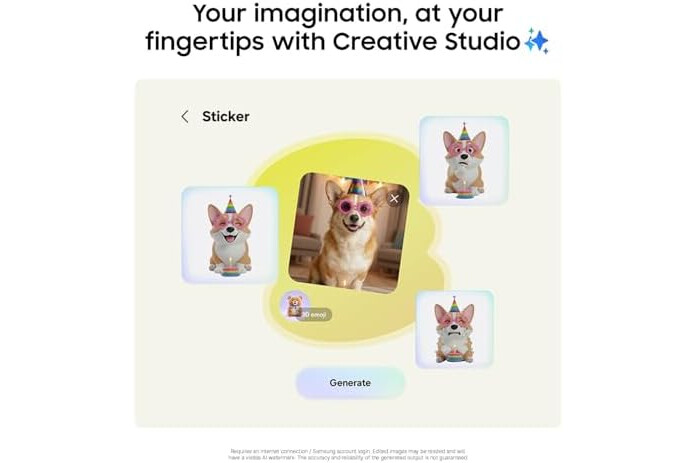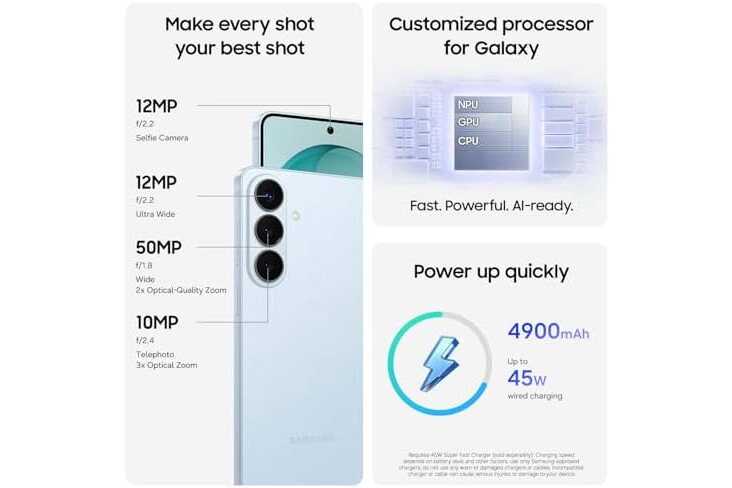

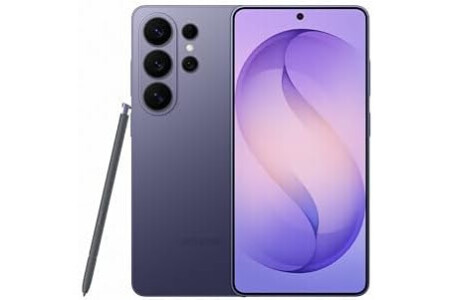
Galaxy S26+ automates your life with the power of Galaxy AI.² Photo Assist¹ magically edits photos in seconds. It fills in missing elements and naturally blends objects with existing lighting and shadows. If you’re looking to easily generate playful illustrations and 3D cartoons for custom wallpapers, stickers, and more³, the Creative Studio brings your ideas to life. Making all this possible is our fastest, smoothest and most powerful processor yet.
To ensure no details are missed, the ultra-vivid display on Galaxy S26+ instantly enriches colors. This makes experiences on the screen feel realistic, including taking the perfect selfie. There’s also Wider Selfie Capture to get the right group shot in one go. Thanks to the wider⁵ front camera and lens, you don’t need to stretch all the way back. It also means less retakes.
Speeding up daily tasks, Now Nudge with Galaxy AI¹ works behind the scenes to prioritize apps, reminders, and notifications.⁴ You’ll have the most relevant information right when you need it. Further simplifying your life, Samsung Wallet securely stores payment cards, boarding passes⁷, boarding passes⁸, and more. Leave your bulky wallet at home.
To get the most out of your S26+, pair with Galaxy Buds4 Pro⁹ to hear music like never before with Hi-Res Audio.⁶
¹Requires Samsung account login and internet connection. Editing with Photo Assist results in a resized photo up to12MP.
²Galaxy AI basic features provided by Samsung are free. Any Samsung enhanced AI features and all third-party AI features are subject to different terms and may be subject to fees. (Galaxy AI basic features are listed under ""Advanced intelligence"" in Samsung Services Terms and Conditions.)
³Requires an internet connection / Samsung account login. Edited images may be resized and will have visible AI watermark. The accuracy and reliability of the generated output is not guaranteed.
⁴For location information, Location permission should be allowed.
⁵As compared to S25 Series.
⁶Requires initial setup via settings or Samsung Wear app on a compatible Galaxy/Android smartphone; see Samsung.com for compatibility.
⁷Requires a compatible NFC card from a participating bank.
⁸Specific requirements and limitations apply to each Samsung Wallet feature. See samsung.com Wallet FAQ for more information.
⁹Products sold separately.
**Requires initial setup via settings or Samsung Wear app on a compatible Galaxy smartphone; see Samsung.com for compatibility.
| Operating System | Android 16, One UI 8.5 |
|---|---|
| RAM Memory Installed | 12 GB |
| Memory Storage Capacity | 256 GB |
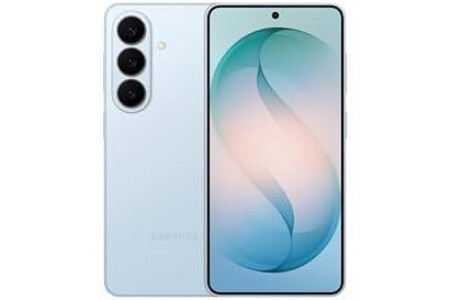
| Color | Cobalt Violet |
| SIM Card Slot Count | Single SIM |
| Connector Type | USB Type C |
| Form Factor | Bar |
| Biometric Security Feature | Fingerprint Recognition |
| Human-Interface Input | Buttons, Microphone, Touchscreen |
| Sim Card Size | Nano |
| Water Resistance Level | Water Resistant |
| Headphones Jack | USB-C |
| Compatible Devices | Android, NFC, Samsung, Universal Bluetooth, Wifi |
| Additional Features | Always On Display, Built-In GPS, Fast Charging Support, Reverse Wireless Charging, Wireless Charging |
| Front Photo Sensor Resolution | 12 MP |
| Rear Facing Camera Photo Sensor Resolution | 10.0, 12.0, 50.0 MP |
| Camera Description | Front, Rear |
| Number of Rear Facing Cameras | 3 |
| Battery Capacity | 4900 Milliamp Hours |
| Battery Power | 4900 Milliamp Hours |
| GPS Geotagging Functionality | True |
| Screen Size | 6.7 Inches |
| Refresh Rate | 120 |
| Display Type | AMOLED |
| Wireless Provider | Unlocked for All Carriers |
| Cellular technology | 5G |
| Connectivity Technology | 5G, Bluetooth, NFC, USB, Wi-Fi |
| Wireless Network Technology | CDMA, GSM, LTE |
| Brand | Samsung |
| Model Year | 2026 |
| Built-In Media | Galaxy S26+, Quick Start Guide, SIM Tray Ejector, USB Cable |
| Warranty Description | 1 Year Manufacturer |
| Manufacturer | Samsung |
| UPC | 198957241307 |
| Item Dimensions | 6.24 x 2.98 x 0.29 inches |
| Effective Video Resolution | 1.77 Pixels |

There are products from different external stores in your basket, so a wish for each external store will be created.
Note: You will be able to configure each wish individually before publishing it.

 Spanish
(Español)
Spanish
(Español)
 German
(Deutsche)
German
(Deutsche)
 French
(Français)
French
(Français)
 Italian
(Italiano)
Italian
(Italiano)
 Portuguese
(Portugues)
Portuguese
(Portugues)